Prototyping with LEGO

LEGO bricks are small plastic building pieces designed to connect securely yet be easily taken apart. Each brick has:

  • Studs on top (small round bumps)

  • Tubes underneath that grip the studs of another brick

  • Standardized dimensions, allowing pieces made decades apart to fit together precisely

They are typically made from a durable plastic, which gives them strength and slight flexibility. Bricks connect by pressing one onto another. The friction between studs and tubes holds structures together. Because all pieces follow a grid system, you can build in 2D layers or extend upward into 3D structures.

Because of this consistency and ease of use, LEGO bricks can serve as a basic tool for physical prototyping in 3D modeling: they allow rapid construction, modification, and visualization of forms, helping users explore proportions, spatial relationships, and simple structural concepts before translating ideas into digital models.

In this exercise, we will build on the the designs created in the Two-Dimensional Design and Creating Bead Mosaic thread.

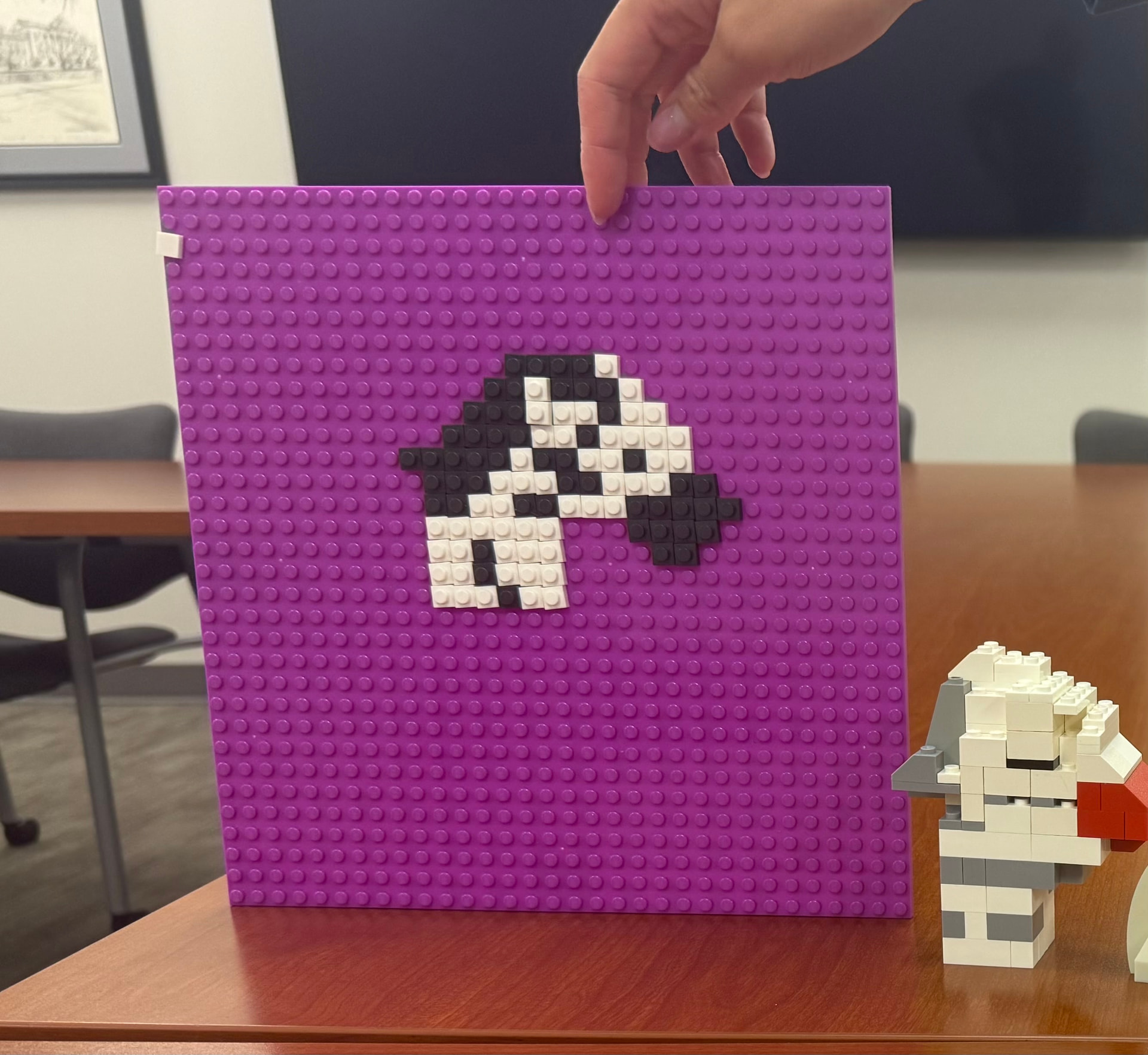
You can use a LEGO baseplate and 1x1 LEGO tiles to replicate the mosaic. This will provide a reference for subsequent creation of a three-dimensional model. Below is an image of the crested crane LEGO mosaic.

By taking a picture of the LEGO mosaic and uploading it to an AI image generator like ChatGPT or Gemini, you can prompt the AI to create a 3D representation. The image below was by uploading the mosaic photo to ChatGPT with the prompt:

“Generate an image of a crested crane built from LEGO bricks. Use the attached image of a LEGO mosaic as a reference. The mosaic is made using 1x1 lego tiles on a grid.”

The image created by AI will likely include LEGO parts that do not exist, impossible to build geometries. When building the 3D version of the crane, the goal is not to replicate the AI generated image. Instead, the image is used as a reference to gauge general shape, proportion, and positioning. The designer must work with the bricks available to create the best approximation of the AI generated model. One resulting interpretation is the actual LEGO model depicted below.

This workflow mirrors one of the more common techniques used in three-dimensional design. Before creating a 3D model, designers frequently begin with a two dimensional sketch.

Julia Skinner and Claire Mills:

East African Hippo - 2D and 3D Models

Here is our 2D and 3D hippos! We opted for a side view of the hippo for the 2D lego model because it gave us more realism in comparison to our bead work of the more cartoon hippo. We wanted our end goal to be a more realistic 3D hippo, so starting this way gave us room to explore our ideas. While creating the 2D model, we found difficulty in finding the shape we wanted because the hippo is very round, and Legos are very square. We wanted to add jaws, but found it to be too tricky in the 2D landscape. Also, working with little color gave us little room for dimension in that department. Here is our inspiration for the 2D model that Gemini gave us:

For the 3D model, we focused heavily on creating moveable jaws and a more realistic head that made it more recognizable as a hippo rather than other 4-legged creatures. The hippo has a very distinguishable jaw and teeth, and we wanted to emphasize this. We found difficulty in finding enough grey Legos and ones that gave curvature to our hippo’s round body. Though not all match, we found enough that gave it the hippo illusion. Finally, our tail was very stubborn. It falls off very easily and we want to design a better one in the future for our final hippo design! Here is our 3D hippo inspiration, also from Gemini:

I hope you enjoy our pictures and creative process!

Lego Elephant 3D
By: Billy Ganbold
For this project, I took our 2D elephant and turned it into a 3D Lego model. I kept the same silhouette and color palette, but dropped the dark outlines because it just felt unnecessary, and the build looked cleaner without them.

Going from a flat drawing to actual bricks was harder than expected. Getting the proportions right meant building in separate sections so everything could move and fit together properly. Finding pieces the right size to match the drawing while still keeping them stable took some trial and error. I ended up being able to connect the pieces in the end to keep it structurally sound, but the trunk and tusks are still a little loose.

For my mosaic, I decided to choose a bunny. I took a picture of the green baseplate and one singular 1x1 LEGO tile. From here I asked AI to create a mockup of a simplified 2d bunny out of similar sized lego tiles to use as a reference. The Ai’s creation helped in giving me a rough idea of how to outline the bunny and what colors to use.

After a picture of my completed LEGO mosaic, I uploaded to ChatGPT and prompted it to create a realistic 3d mockup of a bunny. The picture was not realistic with pieces we did not have, and structures that would not be possible, so I decided to try my best at recreating the bunny myself with the mosaic I made. To get a general structure I made it flat and it had no real dimension so I could get a sense of color and width/height of the body.

After this I tried to think of how I could make the bunny more 3d. I did so by having it’s ears go out on both sides, it’s pink nose protrude from its face, its legs come out, and adding back legs as well.